Getting Started
As of now, this package is mostly meant to allow using Material Icons for our custom editors.
Visualize all available icons
If you just need to search for icons, we recommend using the Material Icons website, which has better search filters.
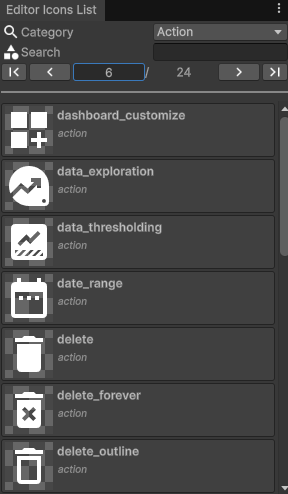
If you want to see the available icons as displayed in the editor, go to Tools > Sideways Experiments > Editor Icons List, and navigate through pages. Categories are based on the folders from the Material Icons GitHub project.
Display an icon in an editor view
- To get the icon texture alone, use the
GetIcon()function - To get a
GUIContentvalue with a Material Icon as image, use theIconContent()function - To draw a button with a Material Icon, use the
IconButton()function