Player Loop customization
PlayerLoop is an API provided by Unity to access and customize the systems that can be initialized and updated at runtime.
You can see the updates and subsystems that are running at runtime from Tools > Sideways Experiments > Viewers > Player Loops Viewer.
Adding a custom subsystem
using UnityEngine;
using UnityEngine.LowLevel;
using UnityEngine.PlayerLoop;
using SideXP.Core;

public class DemoCustomPlayerLoop
{
    public struct CustomUpdate { }

    [RuntimeInitializeOnLoadMethod(RuntimeInitializeLoadType.AfterAssembliesLoaded)]
    private static void SetupCustomUpdate()
    {
        PlayerLoopSystem customUpdateSystem = new PlayerLoopSystem
        {
            type = typeof(CustomUpdate),
            updateDelegate = () =>
            {
                if (Application.isPlaying)
                    Game.UpdateAll(Time.deltaTime);
            }
        };

        PlayerLoopUtility.InsertSubsystem<Update>(in customUpdateSystem);
    }
}
Removing a built-in subsystem
using UnityEngine;
using SideXP.Core;

public class DemoCustomPlayerLoop
{
    [RuntimeInitializeOnLoadMethod(RuntimeInitializeLoadType.AfterAssembliesLoaded)]
    private static void RemoveDirectorUpdate()
    {
        PlayerLoopUtility.RemoveSubsystem<UnityEngine.PlayerLoop.Update.DirectorUpdate>();
    }
}
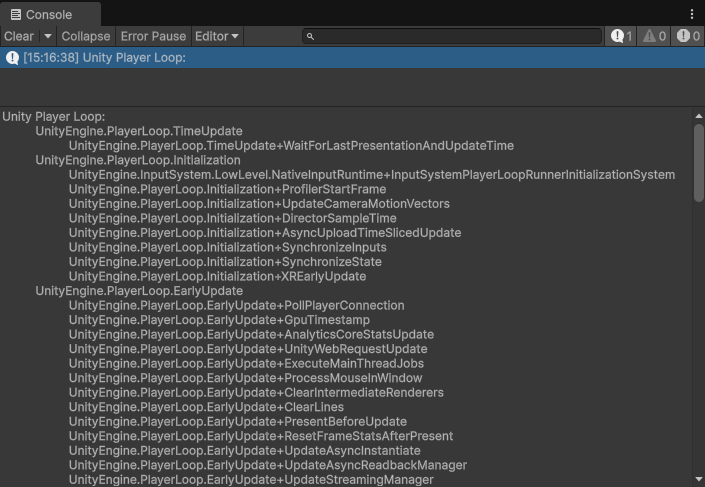
Inspecting the current Player Loop
using UnityEngine;
using SideXP.Core;

public class DemoCustomPlayerLoop
{
    [RuntimeInitializeOnLoadMethod(RuntimeInitializeLoadType.AfterAssembliesLoaded)]
    private static void DisplayPlayerLoop()
    {
        PlayerLoopUtility.PrintPlayerLoop();
    }
}